
Network Infrastructure · ICT Infrastructure

Network infrastructure services designed for segmentation, uptime, and a documented handover

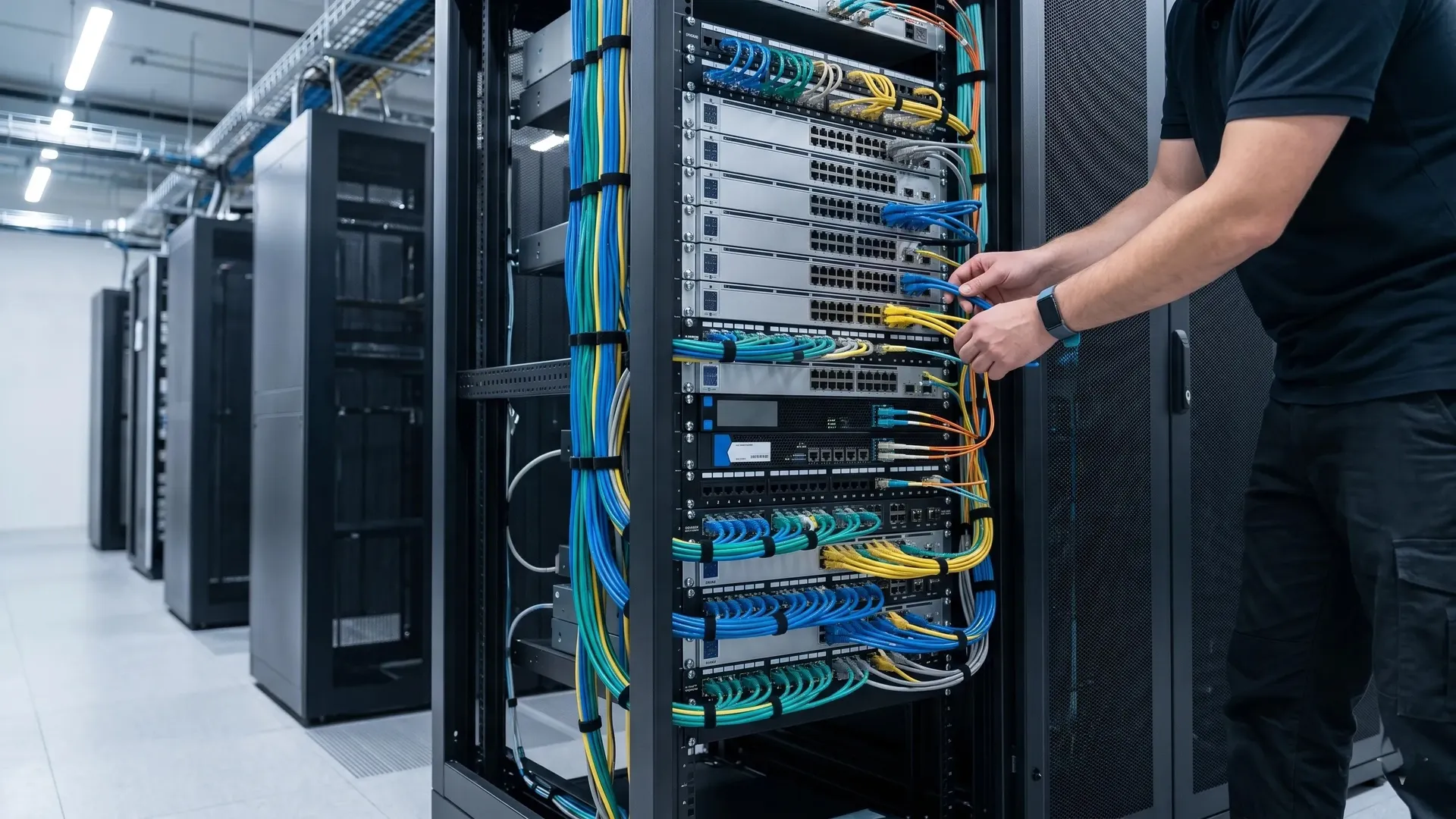
Enterprise network switches and firewall in a server rack
100%
failover & segmentation tested before handover

Built for segmentation and uptime, and documented for the team who runs it.

You need a network that carries your data, your building systems, and your security traffic without letting any one of them put the others at risk. Network infrastructure services cover that whole layer: campus and LAN switching, data-centre networking, WiFi, firewalls, and secure SD-WAN, designed together and segmented by default. The cabling backbone is built to TIA-568-D (2018) and ISO/IEC 11801:2017, every link is channel-tested, and every switch, VLAN, and failover path is validated before you sign the handover.

IEEE 802.3 switchingIEEE 802.11ax (Wi-Fi 6/6E)IEC 62443 segmentation
ICT infrastructure services overview
A certified network engineer replies within one business day, not a sales rep.
What it is

What network infrastructure services include

Your network infrastructure is the active layer that sits on top of your structured cabling: the switches, routers, wireless access points, firewalls, and SD-WAN that move traffic between your people, your servers, your building systems, and the internet. A complete scope covers the design, the equipment selection, the configuration, the segmentation, and the testing, from the first site survey through to a documented handover your IT team can run on its own.

Core and access switches in an enterprise network rack

Campus and LAN switching

Core, distribution, and access switches sized for your user count and PoE load.

Data-centre networking

Top-of-rack and spine switching for your server rooms and data halls.

WiFi (Wi-Fi 6 / 6E)

Access points placed from a wireless survey, not guesswork, to IEEE 802.11ax.

Firewalls and perimeter

Next-generation firewalls configured for your traffic, not left on defaults.

Secure SD-WAN

Resilient links between your sites with encrypted, policy-based routing.

Segmentation and OT/IT separation

Building systems kept on their own segments, off your corporate network.

The network design, IP addressing plan, and segmentation map are agreed and approved before any equipment is ordered. Nothing is procured until the design is confirmed.

Risks

What goes wrong with enterprise networks

Four failures that show up after the network is live. Each one is a design decision, not bad luck, and each is preventable before a single switch is configured.

Risk 01

A flat network with no segmentation

A problem anywhere becomes a problem everywhere when every device shares one network. A compromised laptop, a noisy sensor, or a misconfigured camera can reach your servers because nothing stands between them. Most networks are still built flat because segmentation takes design time upfront.

One breach
on a flat network can reach every device on it, from a laptop to a door controller.
Prevention

Agree a segmentation map at design stage. Users, servers, guests, and building systems each get their own segment, enforced at the switch and the firewall.

Specification

Technical specification

Your network is designed to recognised standards, not to one vendor’s playbook. Switching follows IEEE 802.3, wireless follows IEEE 802.11ax, and the cabling backbone underneath is built to TIA-568-D (2018) and ISO/IEC 11801:2017. Equipment is selected for your traffic and your uptime target, segmentation follows IEC 62443 wherever operational technology is involved, and every link is channel-tested while segmentation and failover are validated before handover.

Standards
TIA-568-D (2018), ISO/IEC 11801:2017 (3rd ed.), IEEE 802.3, IEEE 802.11ax, IEC 62443 (OT segmentation)
Switching
Layer 2/3 core, distribution, and access; PoE++ (IEEE 802.3bt); LACP link aggregation; redundant core where uptime requires it
Wireless
Wi-Fi 6 / 6E (IEEE 802.11ax), survey-based access point placement, WPA3 encryption
Routing and WAN
Secure SD-WAN, IPsec-encrypted site links, policy-based routing, dual-link failover
Security and segmentation
Next-generation firewall, VLAN segmentation, OT/IT separation, access control lists
System integration
IP CCTV, access control, BMS, VoIP, and wireless, each on its own segment
Testing and validation
Cabling channel-tested with Fluke DSX; segmentation, failover, and throughput validated before handover
Handover documentation
As-built network diagrams, IP addressing plan, VLAN map, exported device configurations, test reports
Warranty
Manufacturer hardware warranty, extended cover activated at certified handover
Engineer validating network segmentation and failover before cutover
As-built network diagrams and exported configurations are included as standard, in editable formats your team owns.
Cost factors

What affects the cost of a network infrastructure project

The cost of a network project moves with the number of switches and ports, your uptime and redundancy target, wireless density, how deep your segmentation goes, the number of sites on SD-WAN, and how much existing equipment can be reused. We publish the drivers, not a price, because a real figure comes from your design.

Stacked network switches showing high port density in an enterprise rack
Switch count and port density

More users, access points, and devices mean more access switches and uplinks.

Redundancy and uptime target

Redundant cores, dual firewalls, and dual WAN links cost more, and remove single points of failure.

Wireless coverage and density

Open-plan floors and high-density areas need more access points and a proper survey.

Segmentation and security depth

More VLANs, firewall rules, and OT/IT separation add design and configuration time.

SD-WAN and number of sites

Each extra site adds edge hardware, circuits, and policy configuration.

Existing vs new equipment

Reusing serviceable hardware lowers cost; a full refresh or new cabling raises it.

Standard exclusions(not included in a cabling quote)
ISP and WAN circuits, and recurring telco charges
Server, storage, and compute hardware
Software subscription licences beyond the initial term
Structured cabling civil works (containment, builder’s work)
End-user devices (laptops, phones, IP endpoints)
Annual maintenance contract (AMC)
Process

How a network infrastructure project is delivered

Every project runs in five phases. No phase starts until the previous one is complete and documented.

01

Design and survey

Your project starts with a survey and a clear set of requirements: user counts, device counts, your uptime target, and which systems must stay separate. From that comes an IP addressing plan, a segmentation map, and an equipment list.

No equipment is ordered until the design and segmentation map are approved.
02

Procurement and staging

Hardware is ordered and configured off-site where possible. Switches, firewalls, and access points are built to the agreed design, and base configurations are reviewed before anything reaches your site.

Device configurations are built and reviewed before installation begins.
03

Installation and configuration

Switches, access points, and firewalls are installed and configured. Each device is labelled, each port is documented, and every segment is applied as designed.

No device is left unlabelled or off its segment at the end of any day.
04

Testing and validation

The cabling is channel-tested, then the live network is validated. Segmentation, firewall rules, failover, wireless coverage, and throughput are each checked against the design.

Failover and segmentation are proven before any production traffic moves.
05

Cutover, handover and documentation

Traffic is migrated in a planned window. Handover is not signed until as-built diagrams, the IP plan, exported configurations, and test reports are produced and your team is walked through them.

Not signed off until every document is accepted and your team is trained.
Key comparison

Cloud-managed, on-premise controller, or standalone: how should your network be run?

How your network is managed decides how fast you see problems and how much it costs to run.

Compare options
Select a category
Visibility and monitoring
One dashboard across every site and device
Single view, on your own network
Checked device by device
Multi-site management
Native across all sites
Needs VPN links or extra controllers
Manual at each site
Making configuration changes
Pushed from anywhere, to many sites at once
Made on the LAN or over VPN
Repeated on each device
Cost model
Hardware plus an ongoing subscription
Hardware plus a controller licence
Hardware only, no recurring fee
If the internet link drops
Traffic keeps flowing, remote management pauses
Keeps running locally
Unaffected
Best for
Multi-site estates and lean IT teams
Large single campuses that keep policy in-house
Very small, static sites

For most multi-site organisations with a lean IT team, cloud-managed networking gives you the fastest visibility and the simplest changes, at the cost of an ongoing subscription. If you run one large campus and want policy kept entirely on your own network, an on-premise controller fits better. For a single small site that rarely changes, standalone hardware avoids a recurring fee you do not need.

Cross-service

What else runs on the network you build

Your network is the layer most other building systems travel on. These are the connections that belong in the network design from the start.

Structured cabling

Your network is only as fast as the cabling beneath it. The two are designed together, so the physical layer carries the speeds and PoE your switches and access points need.

View structured cabling

IP CCTV and access control

Cameras, access readers, and intercoms run on this network. They sit on their own segments, isolated from your corporate traffic.

View ELV systems

Enterprise wireless and data centre

WiFi access points and data-centre switching are part of the same network design. See how they fit the full ICT scope.

View ICT services

Building management systems

HVAC, metering, and lighting controllers connect over the network using BACnet/IP. They belong on their own segment, planned into the network design.

View BMS services
Relevant industriesHealthcareHospitalityData centresBanking and financeEducation
FAQs

Frequently asked questions

The questions IT teams ask about network infrastructure before going to tender.

It depends on what you have and what it needs to do. We start with a survey of your current switches, cabling, and traffic. Where equipment is serviceable and the design is sound, we upgrade in place and reuse it. Where the network is flat, out of support, or undersized for your plans, a redesign costs less over time than patching it. You get an honest call either way before any spend.

By separating them at the design stage. Building systems sit on their own VLANs, isolated from your users and servers, with controlled and logged routes between segments. This follows IEC 62443 for operational technology. A camera or controller with weak default security stays contained, so a problem on one segment does not reach your business data.

Buying the hardware is the easy part. The value is in the design: the segmentation map, the IP plan, the firewall rules, and the testing that proves it all works. A supply-only purchase leaves that work, and the documentation, to your team. A designed service hands you a configured, validated network and one point of responsibility if something breaks.

No. We design to open standards, IEEE 802.3 for switching and IEEE 802.11 for wireless, and we recommend equipment that fits your needs and budget, not a single brand we are tied to. You receive editable configurations and documentation at handover, so a future change of vendor is your decision, not a dependency on us.

A complete record. That means as-built network diagrams, the IP addressing plan, the VLAN and segmentation map, exported device configurations, and the test and validation reports. Your team also gets a walkthrough. You should be able to manage, expand, and troubleshoot the network without calling us back for the basics.

The honest answer is that it depends on the project. A single building of moderate size often runs four to eight weeks from approved design to handover, while a multi-site or data-centre network with SD-WAN and redundancy runs longer. Site size, the number of sites, and how much can be reused all move the date. The survey and design phase is where your real timeline is set.

Honest fit

When we are not the right choice

We will tell you directly when your project is not the right fit.

Your tender is scored on lowest price alone

We will not remove segmentation, testing, or documentation to match a cheaper number. A proposal that leaves those out is a different scope, not a better deal.

You run one small site with a capable in-house IT team

For a handful of switches and a single access point, your own team or a local IT provider will deliver it faster and for less than we will.

You want a single-vendor, locked-down stack

We design to open standards and hand over editable configurations. If a closed, proprietary system you cannot change later is the goal, we are not the right fit.

You're a good fit if…

You are a good fit if your network carries more than office traffic, with CCTV, access control, building systems, and WiFi on one infrastructure, where segmentation and security matter, where you need a documented handover your team can run, and where the network has to perform reliably for the next ten years or more.

Book a network assessment

A scope to test network proposals against before you tender

A network assessment gives you a segmentation outline, a review of your current switches and cabling, and an indicative budget range for your building, so procurement compares proposals that cover the same work.

A certified network engineer contacts you, not a sales representative
Response within one business day
An indicative segmentation outline and budget range in writing within five business days of the site visit
No obligation. If we are not the right fit, we will tell you directly

Tell us about your project

Response within one business day. No obligation.