
AV Solutions · Audio-Video Systems

Audio video solutions your meetings, classes and events can rely on

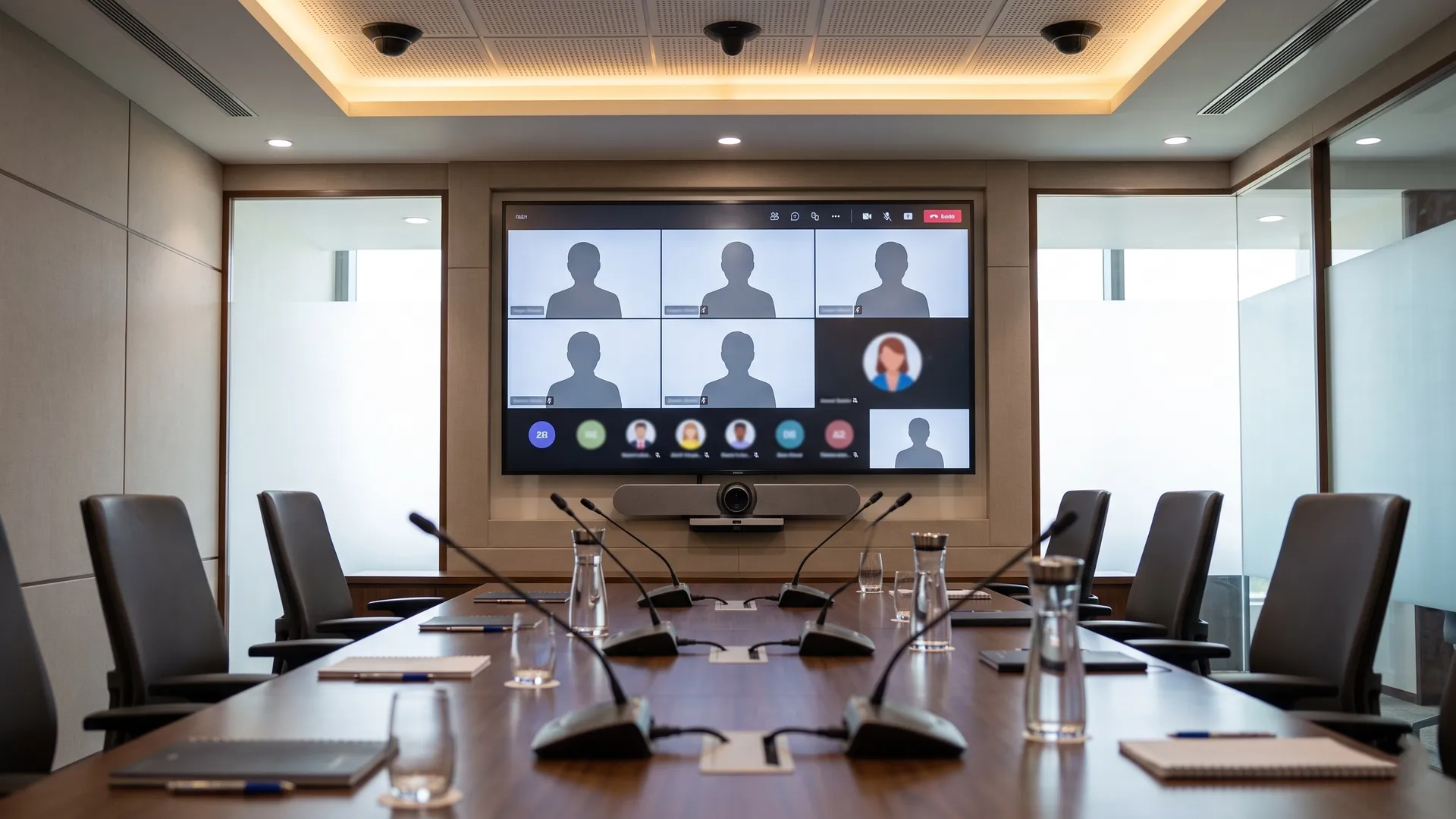
Audio video solutions in a corporate boardroom with a video conferencing display and ceiling microphones
100%
of rooms tested before you sign the handover certificate

No more hunting for cables or restarting calls. Rooms designed, tuned and tested so they just work.

You don't need another box bolted to the rack. You need audio video solutions that switch on, connect and work in every meeting room, classroom and auditorium, long after the installers leave. This page covers meeting and boardroom AV, video conferencing, public address and voice alarm, and large-venue systems across offices, campuses, hotels and command centres. You get rooms designed around how people actually use them, built on cabling tested to TIA-568-D (2018), with displays sized and audio set to AVIXA standards, and every room tested before you sign the handover.

Works with Teams and ZoomTIA-568-D (2018) cablingEvery room tested at handover
An AV systems engineer replies within one business day, not a sales representative.
What it is

What audio video solutions include

Audio video solutions are the practice of designing, wiring and programming the displays, cameras, microphones and sound in a space so people can present, meet and be heard, instead of buying equipment and hoping it works together. A complete audio-visual (AV) scope covers the room survey and the screens, cameras and audio themselves, the video conferencing platform, public address and voice alarm where the building needs it, and all the control, signal distribution and documentation from design through handover.
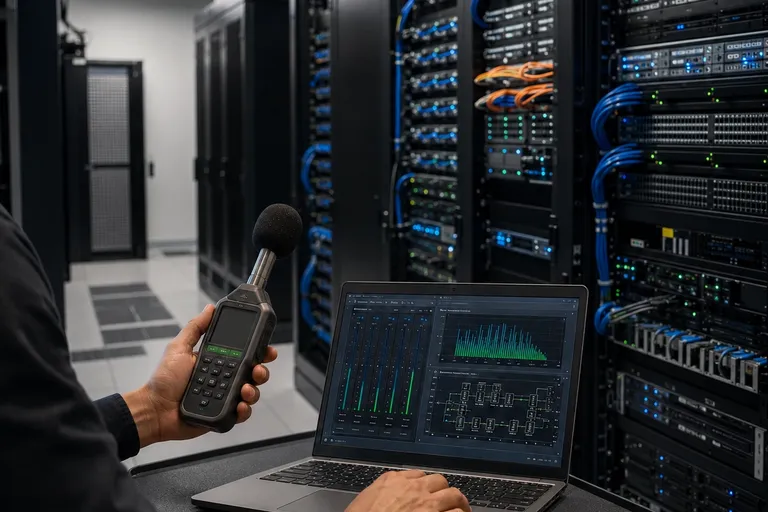
Engineer commissioning meeting room audio before handover

Survey and room schedule

Sightlines, acoustics, seating and light recorded per room, with an equipment schedule that says what goes where and why.

Meeting and boardroom AV

Displays, cameras, room microphones and wireless presentation, set up so any visitor can walk in and start in one touch.

Video conferencing and UC

Microsoft Teams and Zoom rooms built on certified devices, tuned so the people at the far end can see and hear you clearly.

Public address and voice alarm

Background music, zoned paging and, where code requires it, voice evacuation that is tied to and tested with the fire alarm.

Auditorium and large-venue AV

Projection or LED, line-array sound, lecterns and assistive listening for halls, classrooms, training rooms and town-hall spaces.

Control, signal and handover

The control system, AV-over-IP or matrix signal distribution, as-built drawings, configuration backup and operator training.

The room schedule, equipment list and control design are agreed and approved before any equipment is ordered. Nothing is procured until the design is confirmed.

Risks

What goes wrong when AV is bought as boxes, not a system

Four failures that appear after installation, not before. Each one is preventable at design stage.

Risk 01

AV designed after the room is built

When AV is added after the walls, power and furniture are fixed, there is nowhere clean to run cable, no power at the display, and the camera ends up looking at the back of people's heads. The room fights the design instead of supporting it. We have been called into finished boardrooms where the only cable route left was trunking across a glass wall, because AV was never in the early drawings.

Wrong wall
camera looking the wrong way, because AV was an afterthought to the fit-out.
Prevention

Bring AV into the design with the architect and MEP team, so sightlines, power and cable paths are set before the room is built.

Specification

Technical specification

Audio video solutions at Yakkaservices use commercial-grade displays and projection sized to the farthest viewer, not one model bought for every room. Audio is processed and tuned in the room, video runs over AV-over-IP or an HDBaseT matrix on your structured cabling, and video conferencing is built on devices certified for Microsoft Teams and Zoom. Before handover, the image, the audio, the call quality and any voice-alarm cause-and-effect are tested in each room and recorded in the handover package. The standards below are the baseline; your subject-matter expert confirms the equipment editions for your project.

Standards
Display sizing to ANSI/AVIXA DISCAS V202.01:2016; audio coverage to ANSI/AVIXA A102.01:2017; cabling to TIA-568-D (2018); AV/IT equipment safety to IEC 62368-1; voice alarm to EN 54-16 and EN 54-24, and NFPA 72 (2022) where the local code applies
Displays and image
Commercial-grade panels or laser projection, sized by the farthest-viewer distance, rated for the daily operating hours, not consumer televisions
Audio
Digital signal processor with acoustic echo cancellation; microphone and loudspeaker coverage set and measured in the room
Video conferencing
Devices certified for Microsoft Teams and Zoom; camera and microphone coverage matched to the room and the far-end experience
Signal and distribution
AV-over-IP or HDBaseT matrix video distribution over structured cabling, with switching agreed with your IT team
Control
One standardized control layout across rooms, with a one-touch start and a simple, documented interface
Public address and voice alarm
Zoned paging and background music; where required, voice evacuation to EN 54-16 and EN 54-24, integrated and tested with the fire alarm
Integration
Structured cabling network · unified communications platform · Building Management System (BMS) occupancy and lighting · fire alarm emergency override
Testing method
Image, audio intelligibility, far-end call quality and any voice-alarm cause-and-effect verified room by room, witnessed before handover
Handover documentation
Editable as-built drawings · equipment and room schedule · control configuration backup · operator training
Warranty
Extended manufacturer warranty on AV hardware, activated at certified handover
AV rack with digital signal processor and AV-over-IP distribution for audio video solutions
Room schedule, AV test results and editable as-built drawings included as standard.
Cost factors

What affects the cost of audio video solutions

The cost of audio video solutions varies with the number and type of rooms, the size and grade of the displays, and how much audio, control and video conferencing each room needs. It also depends on whether signal runs over a simple point-to-point link or a networked AV-over-IP system, and on the mounting and cabling each space demands. A tuned boardroom with ceiling microphones and a certified video conferencing kit costs far more per room than a huddle space with a single display, even in the same building.
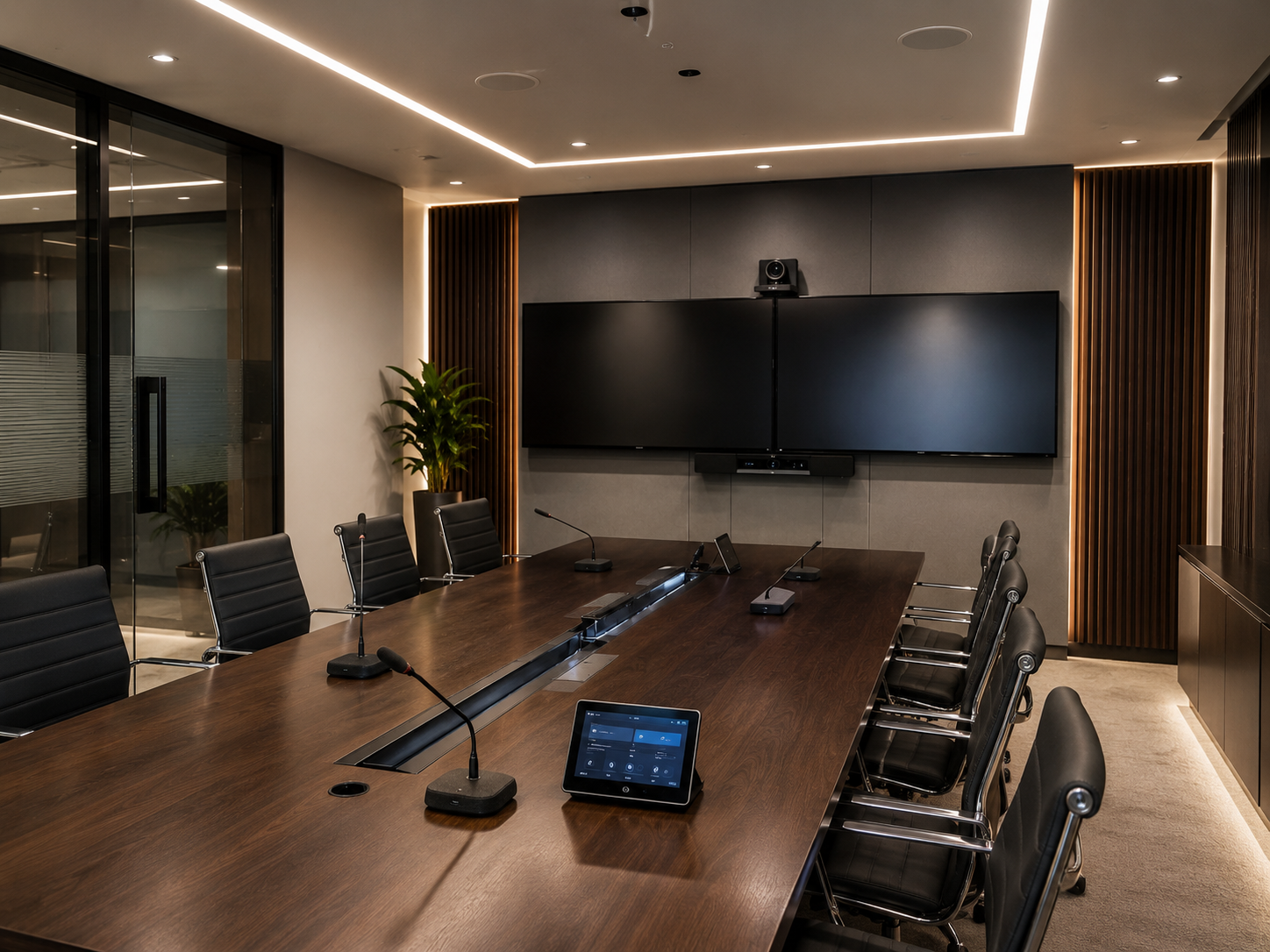
Boardroom audio-visual and conferencing system integrated by Yakkaservices.
Number and type of rooms

A huddle room, a boardroom and an auditorium are different scopes; cost scales with how many rooms and how complex each one is.

Display size, grade and projection

Larger, brighter, commercial-grade panels and laser projection cost more than consumer screens of the same size.

Audio complexity

Ceiling microphone arrays, signal processing, line-array sound and in-room tuning add cost over a single soundbar.

Video conferencing and platform

Certified Teams and Zoom room kits, cameras and per-room setup cost more than a webcam on a screen.

Control and AV-over-IP

Control programming and networked AV-over-IP distribution cost more than a simple point-to-point connection, and are worth it across many rooms.

Mounting, cabling and site

Heavy displays and rigging need structural mounts and access equipment; an occupied building adds phased or out-of-hours work.

Standard exclusions(not included in a cabling quote)
Content creation and presentation design
Unified communications licences (Microsoft Teams, Zoom)
Furniture, joinery and table boxes (where by others)
Acoustic treatment and structural building works
Active network switches and servers (where by others)
Annual maintenance contract (AMC)
Process

How an audio video solutions project is delivered

Every project follows five phases in sequence. No phase begins until the previous one is complete and documented. Nothing is procured until the design is approved. Nothing is handed over until every room has been tested.

01

Survey and room schedule

Your project starts with a site survey. We record sightlines, acoustics, seating and light in each space, then produce an equipment schedule per room and a brief that says what each room must do.

No display, camera or processor is ordered until the room schedule and design are approved.
02

Containment, cabling and power

Network points, power and signal paths are installed to each display, camera, microphone and speaker location to the design. Where the AV shares the corporate network, segmentation is agreed with your IT team before any device comes online.

Cable routes, power and signal paths confirmed before any equipment is mounted.
03

Mounting and installation

Mounts, displays, projectors, cameras, microphones, speakers and racks are installed and terminated to the schedule. Every device is set to its location and labelled at both ends to match the schedule.

Every device labelled to the schedule before programming begins.
04

Programming and commissioning

The control system is programmed, AV-over-IP or matrix switching is configured, and the audio is tuned for echo cancellation, levels and coverage. Teams and Zoom rooms are set up, and any voice-alarm cause-and-effect is tested.

Image, audio, call quality and voice alarm tested room by room before handover.
05

Handover and training

Handover is not signed until editable as-built drawings, the equipment and room schedule, the control configuration backup, the test record and operator training are produced, reviewed and accepted.

Not signed off until every document and the operator training are accepted.
Key comparison

AV-over-IP, a matrix switcher or point-to-point: which fits your building?

How you move video and audio between sources and screens shapes what your AV can do and what it costs to change later. Picking a distribution method from a brochure, without matching it to the number of rooms and how often they change, is the most common reason an AV system is hard to extend once it is in.

Compare options
Select a category
How it works
Direct cable from one source to one display
A central matrix routes sources to screens over twisted pair
Sources and screens become endpoints on your network
Rooms and scale
One room, a few devices
One room or a building, a fixed port count
Any number of rooms across a site
Adding or changing a room
Re-cable for each change
Limited to the matrix size; replace to grow
Add an endpoint, no re-cabling
Resolution and latency
Full resolution, zero latency
Full resolution, very low latency
4K at low latency on a designed network
Network needed
None
Separate AV cabling, not the data network
A designed, segmented AV network
Ongoing cost
Lowest upfront, costly to expand
Moderate and predictable
Higher setup, cheapest to extend
Best for
A single huddle room or one display
A boardroom or auditorium with a fixed device count
Multi-room offices, campuses, command centres

For a single room or one display, a point-to-point connection is the simplest and cheapest choice you can make. For a boardroom or auditorium with a fixed set of sources and screens, an HDBaseT matrix is proven and predictable. For a building or campus with many rooms that will change over the years, AV-over-IP costs more to set up and far less to extend, which is why we recommend it where you expect to grow or reconfigure.

Cross-service

What audio video solutions connect to in your building

AV rarely stands alone. It rides on your cabling network, shares announcements and emergency messages with life safety, and responds to the systems that run the building. Leaving these links out of scope creates coordination gaps during installation and finger-pointing after handover.

Structured cabling

Every networked display, camera and AV-over-IP endpoint runs on structured cabling with the right network and power. Specify AV outside the cabling scope and a second, uncoordinated cabling job usually follows as a variation.

View structured cabling

Display systems

Digital signage, LED video walls and IPTV are a related scope. Designing them with your meeting-room AV keeps content, signal and control consistent across the site.

View display systems

Life safety systems

Your public address often doubles as voice evacuation, so it has to integrate with and be tested against the fire alarm before handover, not after.

View life safety systems

Building management

Rooms can wake with occupancy, dim the lights for presentation, and release back to the building when a meeting ends. Decide which events cross over at design stage.

View BMS services
Relevant industriesCorporate & IT parksEducation & campusesHospitality & hotelsBanking & finance
FAQs

Frequently asked questions

The questions buyers ask about audio video solutions before going to tender.

AV integration designs, wires, programs and documents your rooms to work together; buying a screen and a soundbar is just hardware. With a system, each room is surveyed, the equipment is sized to the space, the video conferencing is tuned, and everything is handed over with drawings and training. Buy the boxes alone and you own equipment that someone still has to make work in every room. The difference shows up in the first all-hands call, when the room either just works or someone is hunting for a cable.

Yes, when the rooms are built on devices certified for Microsoft Teams and Zoom and set up for the way you meet. We specify certified room kits, size the camera and microphones to the room, and test a real call before handover. If you run both platforms, rooms can switch between them or standardize on one, whichever your IT team prefers. The aim is that any visitor can walk in and start a call in one touch.

Echo and dead spots are an audio design problem, not bad luck. We size microphone and loudspeaker coverage to the room, use signal processing with acoustic echo cancellation, and measure the result during commissioning instead of assuming it. Hard floors, glass walls and long tables all change the answer, which is why the room survey comes first. A room that echoes on every call was almost always tuned in a spreadsheet, not in the room.

Where your public address is also the voice evacuation system, yes, it has to integrate with the fire alarm and be tested with it. Voice alarm is designed to EN 54-16 and EN 54-24, and the cause-and-effect between the fire panel and the speakers is proven during commissioning, not flagged afterwards. Where the public address is only for paging and music, it can stand alone. We confirm which one your building needs against the local fire code before design.

Yes, one standardized control layout can run every room, and staff use it when it is kept simple. We program a one-touch start and the same interface in each room, so a user who learns one room knows them all. Operator training and a short guide are part of handover, and the configuration is backed up so a later change does not mean starting over. A control system people avoid is usually one that was made clever instead of clear.

It depends on how many rooms you have and how often they change. Point-to-point suits a single room, an HDBaseT matrix suits a boardroom or auditorium with a fixed device count, and AV-over-IP suits a building or campus where rooms will be added or reconfigured. AV-over-IP costs more to set up and far less to extend. We recommend it where you expect to grow, and we will say so when a simpler method is the better value for your site.

Honest fit

When we are not the right choice

We will tell you directly when your project is not the right fit. These are the three situations where you should look elsewhere.

You need one screen and a soundbar in a single room

A local AV installer will fit a screen and speakers in one meeting room faster, and at a lower cost, than we will. We focus on audio video solutions that run across many rooms, connect to the network, and have to stay working and documented. If your project is a single room, we will say so at the first conversation.

Your tender is scored on lowest price only

If the scope leaves out the room survey, the audio tuning or the commissioning, we will not win that tender, and we will not strip those steps to match a lower number. A proposal without them is a different scope, not a cheaper one. You should compare like for like before you award.

You want a consumer setup you manage yourself

If you have chosen a consumer television and a plug-in soundbar and plan to run them yourself, you do not need an integrator. We earn our place where rooms are networked, tuned, integrated with your video conferencing and the building, and handed over documented. For a plug-and-play setup, that is cost you do not need.

You're a good fit if…

Your project is a corporate office, campus, hotel, auditorium or command centre where AV runs across many rooms, integrates with your network, video conferencing and the building systems, and has to stay reliable and documented for years.

Book an AV design consultation

An AV scope you can test every proposal against

An AV design consultation gives you a room schedule, an equipment list, and an indicative budget range for your specific building, so procurement compares proposals that cover the same work.

An AV systems engineer contacts you, not a sales representative
Response within one business day
Indicative room schedule, equipment list and budget range in writing within five business days of the site visit
No obligation. If we are not the right fit, we will tell you directly

Tell us about your project

Response within one business day. No obligation.