
Display Systems · ELV Systems

Display systems and digital signage that do more than fill a wall

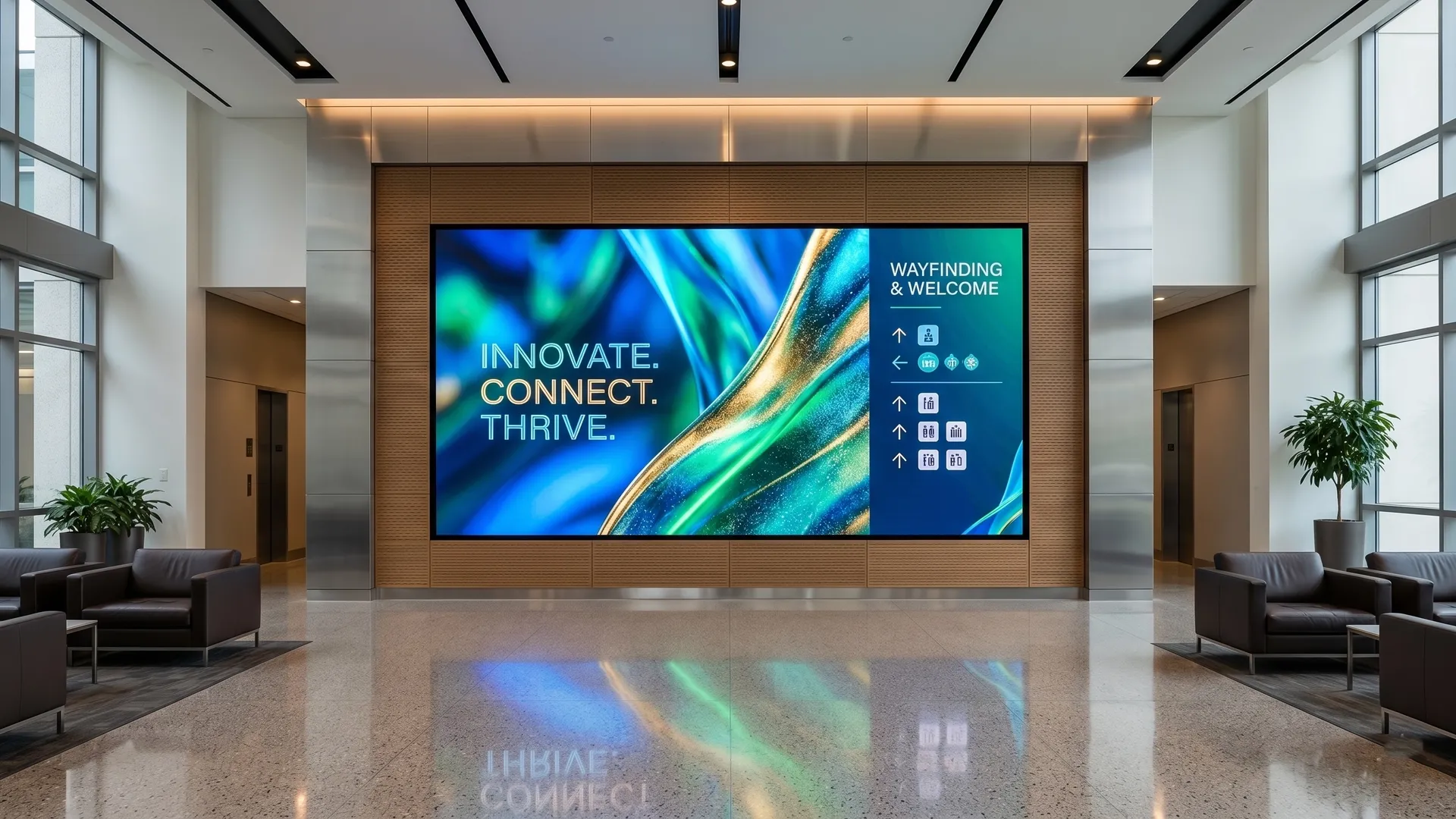
Digital signage display system in a commercial building lobby
100%
screens playback-tested before you sign the handover certificate

Screens that show the right content, on the right wall, and keep running after we leave.

You don't need another screen on a wall. You need a display system that shows the right content to the right people, and keeps running long after the installers leave. This page covers digital signage, LED video walls, commercial displays and IPTV across offices, hotels, malls, transport hubs and campuses. You get displays that connect to your network, play reliably, and arrive with the cabling tested to TIA-568-D (2018) and every screen checked for playback before handover.

Network-connected playbackTIA-568-D (2018) cablingPlayback-tested at handover
ELV systems overview
An AV systems engineer replies within one business day, not a sales representative.
What it is

What a display system includes

A display system is the practice of designing, wiring and configuring your screens to show the right content reliably, instead of buying panels and hoping someone keeps them running. A complete display scope covers the screen-layout survey and the screens themselves, whether digital signage, LED video walls or commercial displays. It also covers television distribution by satellite (SMATV) or network (IPTV), the content management system that schedules what plays, and all configuration and documentation from design through handover.

Content management system and media players driving a digital signage network

Survey & screen layout

Viewing distances, ambient light, mounting points and a screen schedule per zone.

Digital signage & commercial display

Commercial-grade panels rated for the hours they run, sized to the viewing distance.

LED video walls

Pixel pitch matched to viewing distance, with mounting, processing and redundancy.

SMATV & IPTV

Satellite and IP television distribution for hotels, residences and corporate sites.

Passenger & wayfinding information

Real-time information screens with multilingual support and public-address integration.

CMS, content & handover

Content management setup, player configuration, as-built drawings and operator training.

The screen schedule, mounting detail and content plan are agreed and approved before any screen or player is ordered. Nothing is procured until the design is confirmed.

Risks

What goes wrong when screens are bought instead of a system

Four failures that appear after installation, not before. Each one is preventable at design stage.

Risk 01

Media players left to freeze on a black screen

When media players are installed without a recovery plan, a power blip, a network drop or a firmware update leaves a frozen or black screen, usually on the wall everyone sees. Nobody on site knows how to restart it, so it stays dark for days. We have walked into lobbies where the feature screen had been black for a week because the player was never set to recover on its own.

Black
screen on the busiest wall, because the player was never set to recover.
Prevention

Specify players that auto-recover on power and network loss, with remote monitoring that alerts your team before a visitor notices.

Specification

Technical specification

Display systems at Yakkaservices use commercial-grade panels rated for their daily operating hours. LED video-wall pixel pitch is selected by the minimum viewing distance, not bought as one model for the whole site. Content is delivered over your structured cabling network and a content management system, with video distributed over HDBaseT or AV-over-IP and television over an SMATV or IPTV head-end. Before handover, playback, failover and the content schedule are tested across every screen and recorded in the handover package. The standards below are the baseline; your subject-matter expert confirms the panel and CMS editions for your project.
Standards
Commercial panels to IEC 62368-1 (AV/IT equipment safety); cabling to TIA-568-D (2018); panel and CMS editions confirmed by the project engineer
Panel grade
Commercial-grade displays rated for the daily operating hours (16/7 or 24/7), not consumer televisions
LED video wall
Pixel pitch selected by minimum viewing distance; modular cabinets with hot-swappable modules and redundant power and data
Signal & distribution
HDBaseT or AV-over-IP video distribution; SMATV and IPTV head-end for television channels
Content management
CMS with scheduled playlists, multi-zone layouts and remote monitoring; media players configured to auto-recover
Integration
Structured cabling network · public-address for announcements · Building Management System (BMS) occupancy · emergency-message override
Testing method
Playback, failover and content-schedule verification across every screen, witnessed before handover
Handover documentation
Editable as-built drawings · screen and player schedule · CMS configuration backup · operator training
Warranty
Extended manufacturer warranty on commercial panels, activated at certified handover
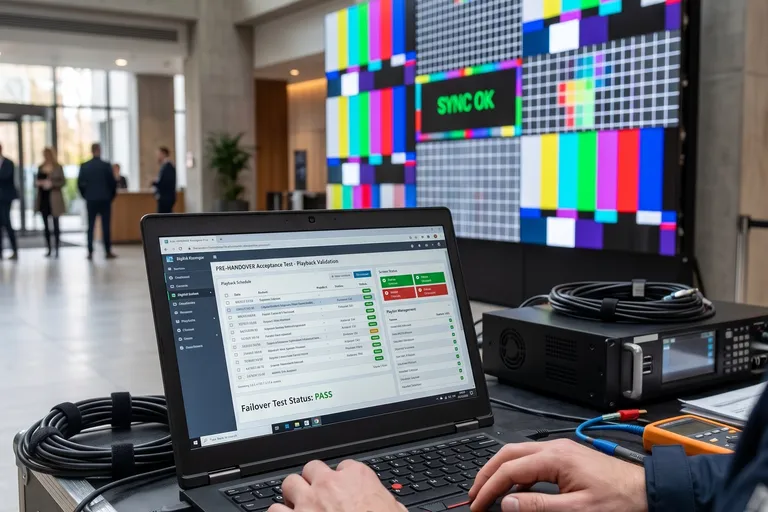
Engineer playback-testing display screens before handover
Screen schedule, playback test results and editable as-built drawings included as standard.
Cost factors

What affects the cost of a display system

The cost of a display system varies with the number, size and grade of screens and the pixel pitch of any LED wall. It also depends on how bright the displays must be for their environment, how much content scheduling you need, and the mounting and cabling each location demands. A bright, fine-pitch LED video wall in a daylit atrium costs far more per square metre than indoor signage screens, even for the same wall area.
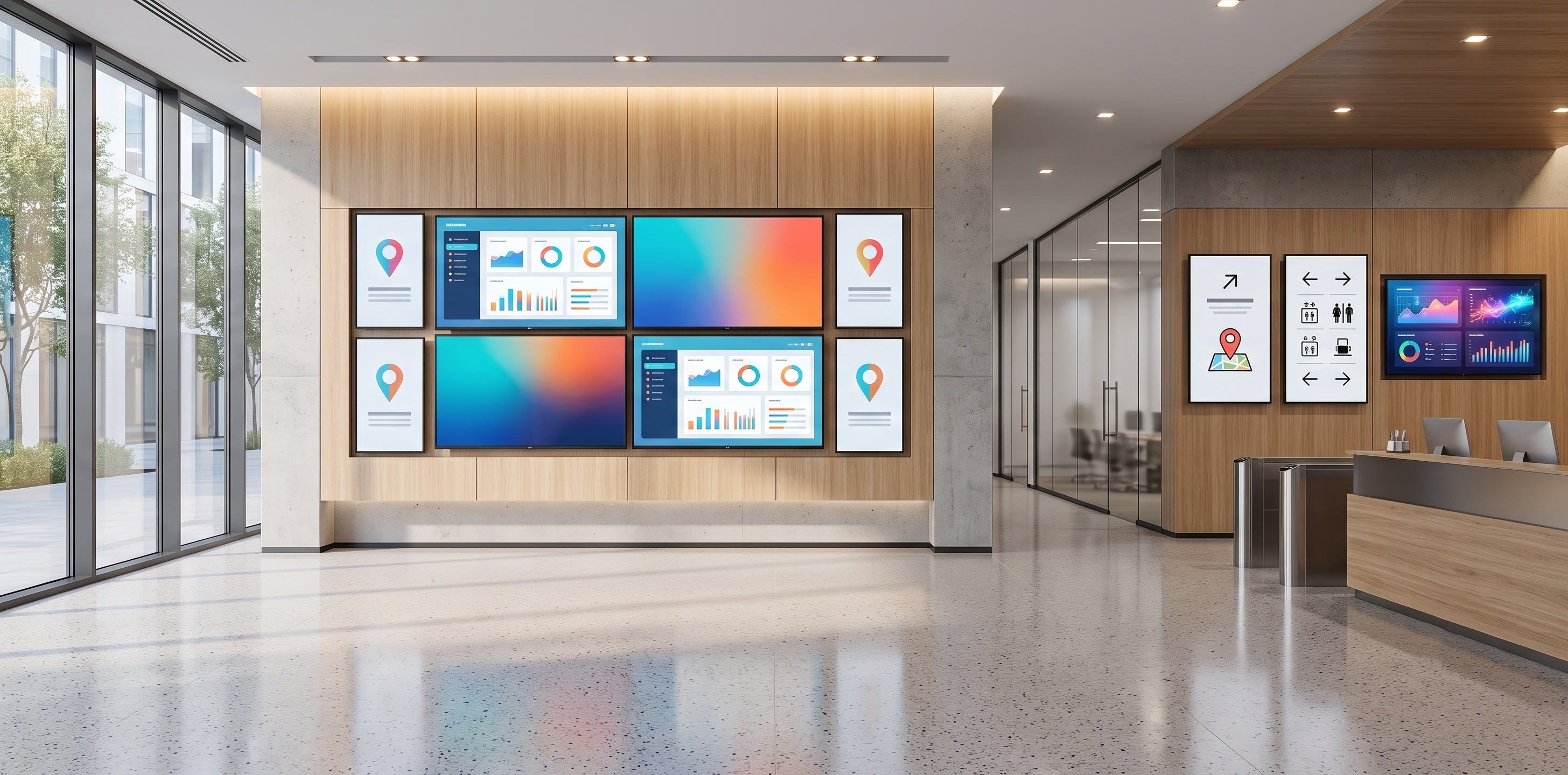
Wall of commercial digital displays of varying sizes in a building
Screen count, size and grade

Larger, brighter, commercial-grade panels cost more than consumer screens of the same size.

LED pixel pitch

A finer pixel pitch for close viewing multiplies the cabinet count and the cost per square metre.

Brightness and environment

High-brightness and outdoor-rated displays for daylight or shopfronts cost more than indoor panels.

Content management scope

A single playlist costs little; multi-zone scheduling, live data feeds and remote monitoring add software and setup.

Mounting and site conditions

Heavy video walls need structural mounts and access equipment; an occupied building adds phased or out-of-hours work.

Cabling, power and signal

Network points, power and video distribution to each screen; longer runs add HDBaseT or fibre extenders.

Standard exclusions(not included in a cabling quote)
Content creation and graphic design
CMS and IPTV software subscriptions
Television channel and satellite licences
Structural steelwork and builder’s work
Active network switches and servers (where by others)
Annual maintenance contract (AMC)
Process

How a display systems project is delivered

Every project follows five phases in sequence. No phase begins until the previous one is complete and documented. Nothing is procured until the design is approved. Nothing is handed over until every screen has been playback-tested.

01

Survey & screen layout

Your project starts with a site survey. We record viewing distances and ambient light, mark mounting points, and produce a screen schedule per zone and a content plan that says what plays where.

No screen or player ordered until the screen schedule and content plan are approved.
02

Containment, cabling & power

Network points, power and video distribution are installed to each screen location to the design. Where displays share the corporate network, segmentation is agreed with your IT team before any device comes online.

Cable routes, power and signal paths confirmed before any screen is mounted.
03

Mounting & installation

Mounts, screens, LED cabinets and media players are installed and terminated to the schedule. Each screen is set to its marked location and brightness, and every device is labelled at both ends to match the schedule.

Every screen and player labelled to the schedule before configuration begins.
04

CMS configuration & playback commissioning

The content management system, playlists and zoning are configured, and players are set to auto-recover. The integration is then commissioned: scheduled content plays, failover is proven, and any emergency-message override is tested.

Playback, failover and the content schedule tested across every screen before handover.
05

Handover & documentation

Handover is not signed until editable as-built drawings, the screen and player schedule, the CMS configuration backup, the playback test record and operator training are produced, reviewed and accepted.

Not signed off until every document and the operator training are accepted.
Key comparison

LED wall, tiled LCD or a single large display: which fits your space?

The display technology you choose for a large viewing area shapes how it looks and what it costs to run for years. Picking a technology from a brochure, without matching it to the viewing distance and the light in the room, is the most common reason a display underwhelms once it is on the wall.

Compare options
Select a category
Seams
Thin bezel lines between panels
None, one continuous image
None, single panel
Practical size
Large grids, indoor only
Any size, indoor or outdoor
Up to about 98 inches
Brightness
Indoor levels
High; daylight and outdoor options
Indoor; high-bright models exist
Close viewing
Fine for control rooms
Depends on pixel pitch chosen
Sharp at desk and lobby distance
Ongoing cost
Low; replace a panel if it fails
Hot-swap modules; redundant power
Lowest; one unit to maintain
Best for
Control rooms, budget indoor walls
Feature walls, atriums, outdoor
Meeting rooms, menu boards, signage

For a large feature wall with no visible seams, a bright atrium or anything outdoor, an LED video wall is the more defensible choice. For a single screen up to about 98 inches in a meeting room, a menu board or standard signage, one large-format display is simpler and costs less to run. A tiled LCD wall suits control rooms and budget indoor walls where thin bezel seams are acceptable.

Cross-service

What a display system connects to in your building

Displays rarely stand alone. They ride on your cabling network, share announcements with public address, and respond to the systems that run the building. Leaving these links out of scope creates coordination gaps during installation and finger-pointing after handover.

Structured cabling

Every networked screen, player and IPTV outlet runs on structured cabling with the right network and power. Specify displays outside the cabling scope and a second, uncoordinated cabling job usually follows as a variation.

View structured cabling

AV solutions

Displays are one part of a wider audio-visual scope: meeting-room AV, public address and voice alarm, and video conferencing. Designing them together keeps signal, control and sound consistent across the site.

View AV solutions

Security & command centre

A control room or command centre needs a video wall fed from the security platform, so an operator sees the right camera on the right screen. The command-centre display belongs in the integration design.

View security solutions

Building management system

Displays can follow the building: signage that wakes with occupancy, and an emergency-message override that interrupts content when the BMS or fire system calls for it. Decide which events cross over at design stage.

View BMS services
Relevant industriesHospitality & hotelsRetail & mallsTransport & airports
FAQs

Frequently asked questions

The questions buyers ask about display systems and digital signage before going to tender.

A display system is designed, networked, configured and documented to keep showing the right content; buying screens is just the hardware. With a system, the screens are surveyed for brightness and viewing distance, connected to your network and a content management system, set to recover on their own, and handed over with drawings and training. Buy screens alone and you own panels that someone still has to wire, schedule and keep running. The difference shows up six months later, when the content is either current or still on the demo playlist.

It depends on the size, the seams you can accept and the light in the space. An LED video wall gives one continuous image at any size and high brightness, which suits feature walls, atriums and outdoor locations. A single large-format display up to about 98 inches is simpler and cheaper to run for meeting rooms, menu boards and standard signage. A tiled LCD wall costs less indoors but has thin bezel lines between panels, which is fine for a control room and less so for a brand wall.

The media players are specified to recover on their own after a power or network interruption, and they are monitored remotely so your team is alerted before a visitor notices. During commissioning we prove the recovery, not just assume it. A frozen lobby screen is almost always an unmanaged player, which is a design choice you can avoid by putting auto-recovery and monitoring in the scope.

Your team does, once a content owner is named and trained before handover. We configure the content management system, set up the playlists and zones, and hand over a simple scheduling guide and operator training. We can also manage content under a service agreement if you prefer. The failure to avoid is finishing the install with no owner named, which is how screens end up stuck on a holding slide.

Yes. Networked screens, players and IPTV outlets run on your structured cabling, and where they share the corporate network the segmentation is agreed with your IT team before any device comes online. Displays can also take an emergency-message override from the fire or building management system, so content is interrupted when it matters. These links are design decisions made before installation, not afterthoughts.

SMATV distributes satellite and terrestrial television over a coaxial network to every outlet, which is reliable and well understood. IPTV delivers the same channels plus interactive services over your data network, so a guest room or screen can show channels, hotel information and on-demand content from one platform. IPTV needs a capable network and a head-end; SMATV needs less but offers less. We size and recommend the right one against your building, channel list and the services you want to offer.

Honest fit

When we are not the right choice

We will tell you directly when your project is not the right fit. These are the three situations where you should look elsewhere.

You need one or two screens in a single room

A local AV installer will mount a screen or two in a meeting room faster and at a lower cost than we will. We focus on display systems that connect to the network, run across a site, and have to stay working and documented. If your project is a single room, we will say so at the first conversation.

Your tender is scored on lowest price only

If the scope leaves out the survey, the content management setup or the playback testing, we will not win that tender, and we will not strip those steps to match a lower number. A proposal without them is a different scope, not a cheaper one.

You want a consumer TV with a USB stick you manage yourself

If you have chosen an off-the-shelf television and plan to load content on a USB drive and manage it yourself, you do not need an integrator. We earn our place where screens are networked, scheduled, integrated and handed over documented. For a plug-and-play setup, that is cost you do not need.

You're a good fit if…

Your project is a commercial building, hotel, mall, transport hub or campus where displays are part of a larger ELV or AV scope, where the screens are networked and centrally scheduled, and where the system has to run reliably across long operating hours and stay documented and serviceable for years.

Book a display systems assessment

A display scope you can test every proposal against

A display systems assessment gives you a screen schedule, a content plan, and an indicative budget range for your specific site, so procurement compares proposals that cover the same work.

An AV systems engineer contacts you, not a sales representative
Response within one business day
Indicative screen schedule, content plan and budget range in writing within five business days of the site visit
No obligation. If we are not the right fit, we will tell you directly

Tell us about your project

Response within one business day. No obligation.